Condition Sets
Payflow conditions are organised into six sets. Each set maps to a dedicated Shopify Function extension, and only conditions within the same set (or across overlapping sets) can be used together in a single rule.
Why sets exist
Section titled “Why sets exist”Shopify Functions have a fixed input schema — each function can only access a specific subset of checkout data. To support 50+ conditions, Payflow distributes them across multiple function extensions. The result is that some condition combinations are available and others are not.
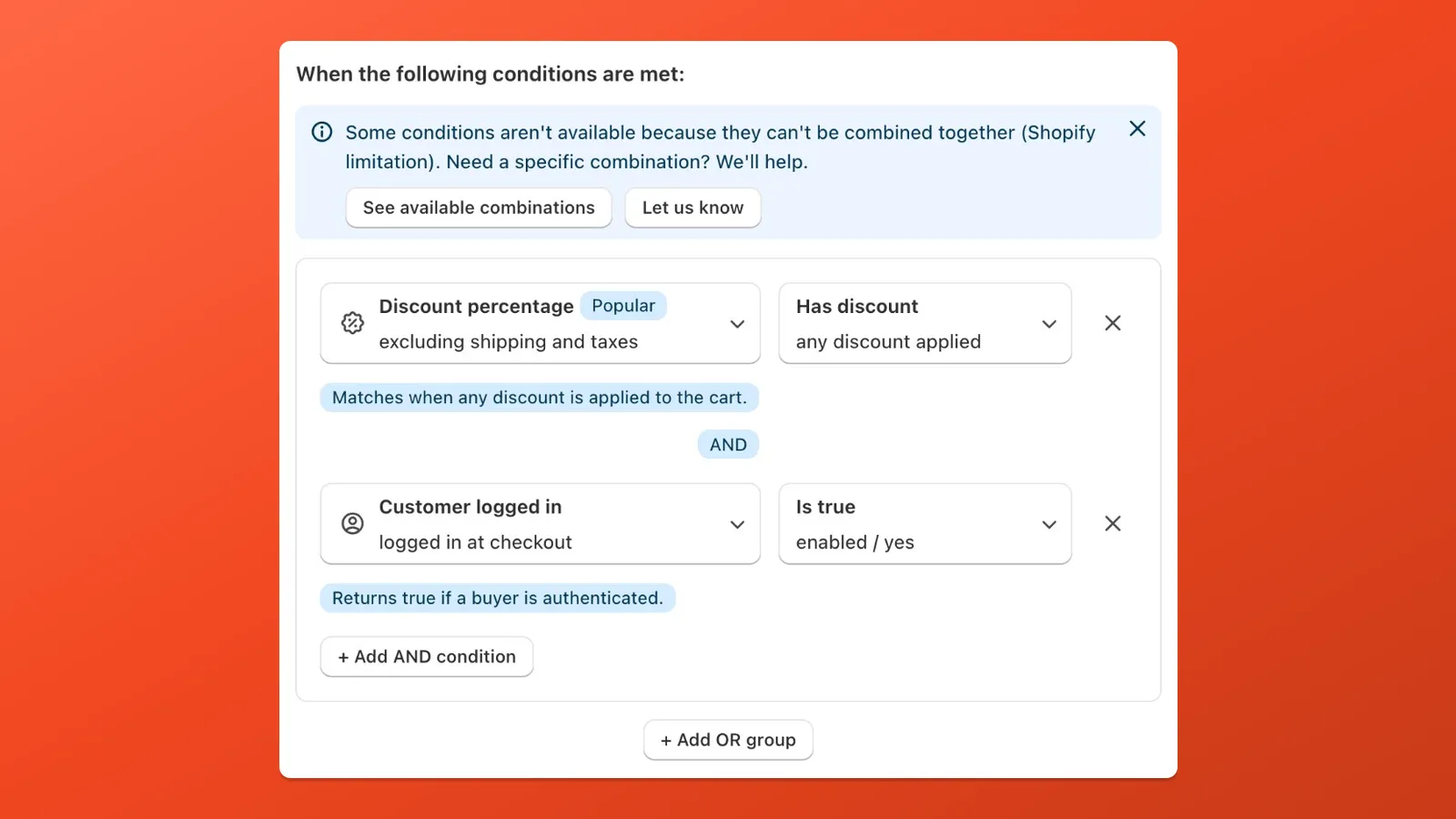
How combinations work
Section titled “How combinations work”- Within a set: all conditions can be freely combined.
- Across sets: some conditions appear in multiple sets. As long as there is at least one set that contains all your selected conditions, the combination works.
- Set 6 (Combined) is a cross-set function that includes frequently requested multi-set conditions.
If the combination you need is not available, contact support — new combinations can be added.
Set 1 — Cart basics
Section titled “Set 1 — Cart basics”Core cart and address conditions that cover the most common use cases.
| Category | Conditions |
|---|---|
| Cart | Total amount, Total weight, Total quantity, Product, Product variant, Product tag, Collection, Product variant title |
| Shipping | Shipping country, Shipping method name, Shipping type, First name, Company |
| Customer | Customer tag |
Set 2 — Shipping & address
Section titled “Set 2 — Shipping & address”Extended address, localization, and subscription conditions.
| Category | Conditions |
|---|---|
| Cart | Subtotal amount, Contains subscription, Product variant |
| Shipping | Shipping country, Province, Shipping city, Shipping postcode, Last name, Address line 1, Address line 2, Phone |
| Customer | Customer B2B, Cart attribute B2B, B2B company name |
| Localization | Shopify Market, Checkout language |
Set 3 — Customer account
Section titled “Set 3 — Customer account”Conditions that rely on customer account data. Most require the buyer to be logged in.
| Category | Conditions |
|---|---|
| Customer | Buyer is authenticated, Buyer email, Lifetime spend, Total number of orders, Customer display name, Customer email, Customer first name, Customer last name, Customer ID, Customer metafield |
Set 4 — Discounts
Section titled “Set 4 — Discounts”Discount-based conditions.
| Category | Conditions |
|---|---|
| Discounts | Discount amount, Discount percentage |
Set 5 — Product attributes
Section titled “Set 5 — Product attributes”Detailed product-level conditions including metafields and line item data.
| Category | Conditions |
|---|---|
| Product | Variant SKU, Product vendor, Product type, Is gift card, Requires shipping, Line item price, Compare-at price, Cart attribute, Line item property, Product metafield, Variant metafield |
Set 6 — Combined
Section titled “Set 6 — Combined”A cross-set function that includes a curated selection of conditions from multiple sets, enabling combinations that would otherwise not be possible.
| Category | Conditions |
|---|---|
| Cart | Total weight, Total quantity, Product, Product tag, Subtotal amount, Contains subscription |
| Shipping | Shipping country, Province, Shipping postcode |
| Customer | Buyer is authenticated, Customer tag |
| Discounts | Discount amount, Discount percentage |
| Product | Is gift card |
| Localization | Shopify Market |
Quick reference
Section titled “Quick reference”| Set | Internal ID | Primary focus |
|---|---|---|
| Set 1 | default | Cart basics — totals, products, tags, country |
| Set 2 | shipping | Address details, localization, B2B |
| Set 3 | customer | Customer account data |
| Set 4 | discount | Discount amount and percentage |
| Set 5 | product | Product attributes, metafields, line items |
| Set 6 | combined | Cross-set combinations |