Rename a Payment Method at Checkout
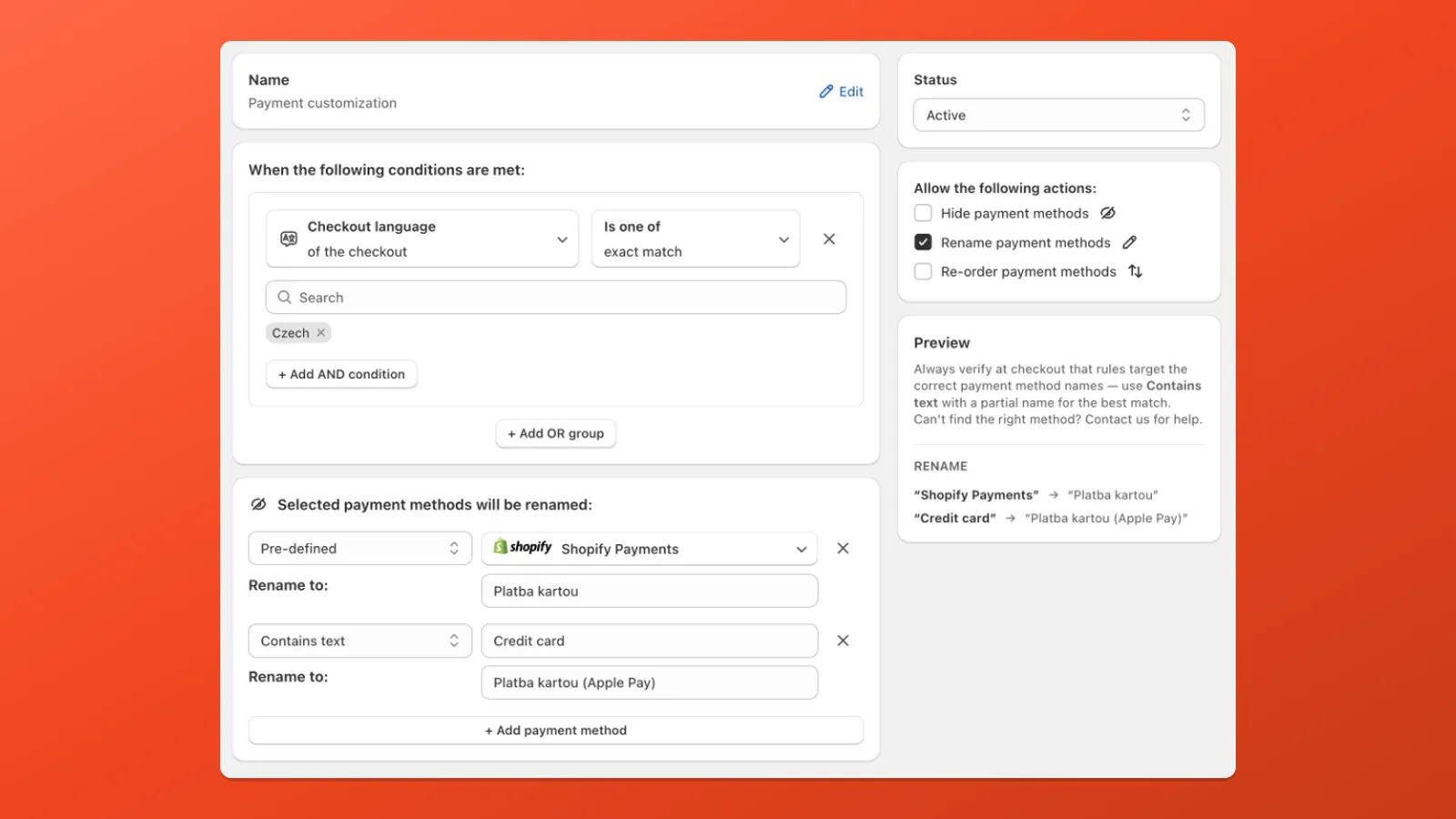
Use Checkout language or Shopify Market when the new label should only apply in some contexts. For a rename on every checkout, add Always under When the following conditions are met — you cannot leave the conditions block empty (Quickstart).
- Create customization > Rename payment methods.
- Add Checkout language → Is one of → e.g.
Czech. For every checkout, use Always instead. Add one row per rename: choose Predefined or Contains text, set the payment method name as it appears at checkout, then Rename to.
- Shopify Payments →
Platba kartou - Contains text
Credit card→Platba kartou (Apple Pay)
- Shopify Payments →
- Active, Save, and verify at checkout.
Related
Section titled “Related” Payment Customization guide Full guide to payment rules and multiple actions.
Localization conditions Markets and checkout language.
Reorder payment methods Move methods to top, bottom, or a fixed position.